

How and Why to Change Your DNS Server for Better Internet
Struggling with slow internet speeds and cumbersome browsing experiences? One effective solution could simply be to change your DNS server. But, what exactly does this mean and why could it dramatically enhance your internet performance? Let’s dive into the basics and benefits of making this switch, ensuring your online activities run smoother than ever!
Changing your DNS server might sound technical, but it’s easier than you imagine and the perks are definitely worth it! From faster webpage loading times to improved security features, tweaking this small setting can make a big impact. Are you ready to give your internet connection that much-needed boost? 🚀
In this guide, we’ll explain the ins and outs of how to optimize your online experience by switching to a different DNS server. Simple steps, clear instructions, and immediate improvements – that’s what we’re aiming for. Let’s get started!
Exploring the Importance of DNS Servers for Internet
Have you ever wondered exactly what makes the internet work the way it does? At the heart of the vast, interconnected networks that span our globe are DNS servers, essential yet often overlooked components. DNS, which stands for Domain Name System, translates user-friendly domain names into IP addresses that computers use to identify each to other. Without DNS servers, we would have to remember complex numerical IP addresses instead of simple domain names like google.com. Fascinating, right?
DNS servers not only simplify the process of accessing websites but also play a crucial role in the performance of your internet connection. How so? These servers affect the speed at which web pages load and how quickly your internet queries are resolved. This means that a faster DNS server can lead to a noticeably smoother and faster browsing experience. Who wouldn’t want that?
But it’s not all about speed. The reliability of your DNS service is vital. Poor DNS setup can lead to frequent disconnects or prolonged downtime, interfering not just with browsing but also with various online operations, including streaming, gaming, and more. It’s no wonder that understanding and optimizing DNS server settings has become crucial for enhancing overall internet performance.
Why Should You Care About Your DNS Server?
Choosing the right DNS server isn’t just about technical enhancements; it’s about optimizing your online experience. Could changing your DNS server be the key to a faster and more secure internet connection? Absolutely! 🚀 Plus, with cybersecurity concerns on the rise, selecting a DNS server that prioritizes security could protect you from phishing attacks and other online threats. So, when was the last time you checked your DNS settings?
How Changing Your DNS Server Enhances Browsing Speed
Have you ever considered how swapping your DNS server could pump up your internet browsing speed? When you change your DNS server, it’s like switching to a faster highway while surfing the web. Let’s dive into why this seemingly small change can make such a big difference in your browsing experience.
To begin with, DNS servers are crucial as they are responsible for translating the domain names you type into browser into IP addresses. If your current DNS provider is slow to respond, it directly affects how quickly you can access websites. By changing to a more efficient DNS server, you literally boost the way pages load. How fantastic is that for enhancing your productivity and enjoyment online?
- Reduction of latency: Faster DNS resolution means you spend less time waiting for websites to start loading.
- Improved reliability: Some DNS servers offer better uptime and more consistent performance, reducing the risk of being unable to access websites.
- Bypassing regional restrictions: Certain DNS servers can provide access to content that might be restricted in your area by geographic restrictions.
Making the switch to an efficient DNS service not only accelerates your browsing speed but also enhances your overall internet experience. Are you ready to give it a try and see the difference? 🚀
Step-by-Step Guide to Changing Your DNS Server
Ready to speed up your internet browsing with a simple tweak? Changing your DNS server can make a noticeable difference. But how exactly do you go about making this change? Let’s break it down into manageable steps.
Identifying Your Current DNS Settings
First things first, you need to know your current DNS setup. Are you using the default server provided by your ISP or have you switched before? These details are crucial for moving forward.
Choosing the Right DNS Server
Not all DNS servers are created equal. Do you want improved security, faster speeds, or maybe better privacy? Depending on your needs, you might select a different DNS provider. Popular options include Google DNS, OpenDNS, and Cloudflare.
Changing DNS on Different Devices
The process varies depending on whether you’re updating the DNS settings on a PC, Mac, or smartphone. Generally, you’ll access the network settings, navigate to Internet Protocol Version 4 (TCP/IPv4) properties on PCs, or adjust the DNS entries in the settings menu on mobile devices.
Verifying Your New Setup
After you change your DNS server, it’s important to ensure everything is working as it should. You can use services like DNSLeakTest.com to check if your new DNS settings are active and functional. Noticed a speed boost while browsing? That’s your new DNS server at work!
Excited to experience enhanced internet speeds with your newly changed DNS server? 🚀 Why not give it a try and see the difference for yourself!
Comparing Popular DNS Servers: Which to Choose
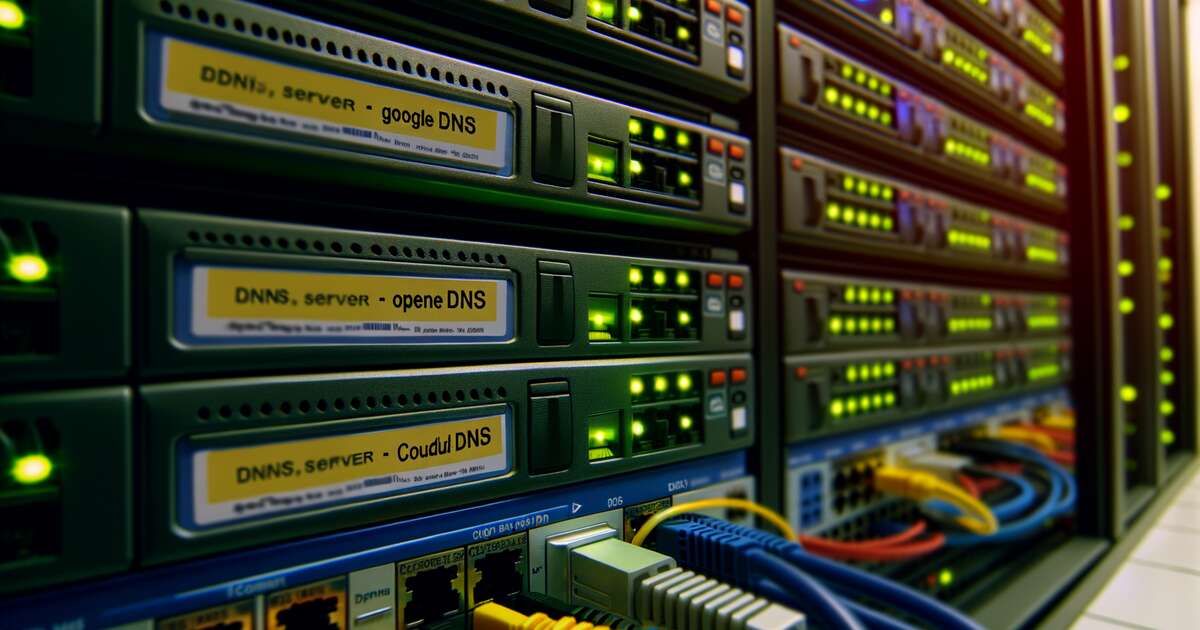
When deciding to change your DNS server, the myriad of options available can be quite overwhelming. Aren’t sure which DNS server might suit your requirements best? We’ll break down some of the most popular ones to help you make an informed decision!
Google DNS
Google DNS is renowned for its speed and reliability. It’s an excellent choice if you frequently stream videos or play online games. What sets Google DNS apart is its emphasis on security with features like DNS-over-HTTPS to keep your browsing safe from prying eyes. 🚀
- Speed: Fast DNS resolution times
- Security: Enhanced protection protocols
- Reliability: Maintains uptime consistently
OpenDNS
OpenDNS is another highly reliable option, especially favored for its extensive parental controls and anti-phishing technologies. Do you need extra control over the content that gets accessed via your network? Then OpenDNS might be the right choice for you. 🛡️
- Control: Advanced parental controls
- Security: Phishing protection and more
- Customization: Filter and block unwanted content
The choice of DNS can greatly influence your internet experience—from browsing speed to security levels. While Google DNS and OpenDNS are among the top contenders, it’s essential to choose one that aligns with your specific needs. Which of these DNS servers will you be leaning towards? 😉
Security Benefits of Switching Your DNS Server
Have you ever thought about the security benefits that come with the decision to change your DNS server? It’s not just about speed and performance; changing your DNS can significantly enhance your online security, making it a wise move for anyone concerned with safeguarding their digital life.
When you switch to a more secure DNS server, you’re essentially upgrading the first line of defense against cyber threats. These servers are equipped with enhanced security features that can actively protect your devices from phishing attacks, block unwanted ads, and even prevent connections to malicious websites. Isn’t it fantastic to think that such a simple change can provide such a robust shield against numerous online threats?
- Enhanced security features to combat phishing and spoofing attacks
- Automatic filtering of malicious websites to reduce the risk of malware
- Improved privacy protections that limit data collection by ISPs
Moreover, some DNS providers offer additional privacy protections, which can obscure your browsing data from potential eavesdroppers, including your Internet Service Provider itself. Are you ready to take control of your online security by making a change?
Common Questions
What does changing your DNS to 8.8 8.8 do?
Changing your DNS server to 8.8.8.8, which is Google’s public DNS server, can often result in faster domain name resolution times compared to default servers provided by your ISP. It also might help bypass any DNS-based filtering set up by your service provider. Google’s DNS servers are known for their speed, reliability, and security features, such as phishing and malware protection. Additionally, using Google DNS might help reduce instances of DNS-based censorship or content blocks inherent to geographic restrictions.
Is 1.1 1.1 still the fastest DNS?
The speed of DNS services like 1.1.1.1, provided by Cloudflare, can vary depending on your location and network conditions. While 1.1.1.1 is renowned for its commitment to privacy and speed, claiming to be the fastest DNS resolver as per its launch statements, it is not universally the fastest for everybody. Users might find that on certain networks, other DNS providers, including Google’s 8.8.8.8, might perform better. It’s highly recommended to perform speed tests with different DNS servers to see which is the fastest for your specific situation.
Is it a good idea to change your DNS?
Changing your DNS can offer a number of benefits such as increased speed, improved reliability, and enhanced privacy and security. It can also be beneficial in bypassing content restrictions or filtering imposed by local networks or ISPs. However, it is important to choose a reputable DNS provider as this can affect your overall internet security. Users should consider their specific needs such as content accessibility, privacy policies of the DNS provider, and any potential speed improvements before changing their DNS settings.
How can I change my about DNS server?
Changing your DNS server settings can typically be done through your device’s network settings. On a computer, you can usually find this option within the ‘Network and Internet’ settings where you can configure your adapter options and manually input DNS server addresses. For mobile devices, the DNS settings can often be adjusted in the Wi-Fi settings under the specific network you are connected to. Additionally, some routers allow the change at the router level affecting all devices connected to it; this is done by accessing the router’s configuration page. It’s advised to write down the current DNS settings before changing them in case you need to revert to the original settings.
Troubleshooting Common Issues After Changing DNS
So, you’ve taken the plunge and decided to change your DNS server. Exciting times ahead with possibly faster and more secure internet browsing! But what happens when things don’t go as planned? Sometimes, changing your DNS server can lead to a few hiccups. Let’s explore some common troubleshooting tips to help you resolve any issues swiftly.
Experiencing Slower Internet Speeds?
It sounds paradoxical, right? You change your DNS server for better speed, and now it’s slower! First, check if you correctly configured the DNS settings. A simple typo could be the culprit. Make sure to enter the right DNS addresses. If everything looks good, try reverting to your old DNS server to see if the speed improves. Sometimes, DNS servers may be overwhelmed or simply not the right fit for your location.
Website Not Loading?
Ran into a ‘Site Can’t be Reached’ error? This could mean a DNS resolution issue. One quick fix is to clear your DNS cache. This forces your computer to fetch the latest DNS information. On Windows, you can open Command Prompt and type ipconfig /flushdns. For Mac users, using the Terminal and typing sudo killall -HUP mDNSResponder should clear the cache. Isn’t it amazing how a quick command can potentially resolve the issue? 🤔
- Verify DNS server addresses for accuracy.
- Clear DNS cache on your device.
- Check your internet connection stability.
Still facing issues after trying these steps? It might be wise to consult with your ISP or consider trying a different DNS server. Remember, finding the right DNS server can sometimes be a trial and error process, but the benefits of making the Change Your DNS Server are usually worth the effort!
Final Thoughts: How and Why to Change Your DNS Server for Better Internet
Now that you’re armed with the knowledge of how to change your DNS server and the benefits it can offer, why not take the plunge and give it a try? Enhancing your internet speed and security can be as simple as switching your DNS. The steps are easy, and the rewards, from faster browsing to enhanced security, are worth it! 🚀
Remember, choosing the right DNS server can make a world of difference in your day-to-day internet usage. Don’t you want to enjoy safer, swifter, and smoother internet experiences? Which DNS server will you try first? Whatever your choice, you’re now more prepared to make an informed decision. Feel free to revisit our guide anytime you need a refresh on how to change your DNS server.


