

How to Securely Wipe Your Hard Drive: Safeguard Your Data
Are you concerned about keeping your personal information safe when getting rid of your old computer? Learning how to wipe your hard drive effectively is absolutely crucial in this technology-driven age. Securing your data isn’t just an option; it’s a necessity to prevent falling victim to data breaches and identity theft. We’ll guide you through the powerful steps to wipe hard drive securely and ensure that your digital footprints are erased completely.
Why wait until it’s too late? Understanding the process of securely wiping your hard drive can save you from a lot of headaches down the line. And guess what? It’s not as complicated as it sounds! With our straightforward guide, you’ll discover the best methods to protect your data from prying eyes. So, grab a cup of coffee ☕, and let’s dive into the steps to safeguard your personal information like a pro!
Make sure you pay close attention, because ensuring that your hard drive is properly wiped is not just about hitting the delete button! We’re here to help you get it right with tried-and-true methods that have stood the test of time. Let’s ensure your data’s safety together!
Understanding Hard Drive Wiping and Data Security
Understanding the importance of hard drive wiping starts with recognizing the paramount importance of data security in today’s digital age. Each time you decide to ‘Wipe Hard Drive’, you’re taking a crucial step to protect your sensitive information from falling into the wrong hands. But what does wiping a hard drive actually involve, and why is it essential for safeguarding your data?
Hard drive wiping goes beyond simple deletion. Deleting files doesn’t really remove the data; it just makes the space available for new data. This is why just hitting ‘delete’ is not enough when you want to ensure your data is irrecoverable. Have you ever thought about what could happen if your discarded data was recovered? It could lead to breaches that expose personal or business critical information.
What Is Involved in Hard Drive Wiping?
The process to Wipe Hard Drive usually involves using specialized software that overwrites your existing data with random sets of data, and often multiple times. This software ensures that the original data is completely unreadable and, therefore, secure from data recovery attempts. With various software options available, it’s crucial to choose one that meets standard data destruction policies, which is our next talking point in secure data management.
So, next time you plan to discard an old hard drive, remember that wiping it securely is the only way to ensure that the remnants of your data don’t turn into a liability. Isn’t it reassuring to know that you can take steps to shield yourself from the consequences of data leakage?
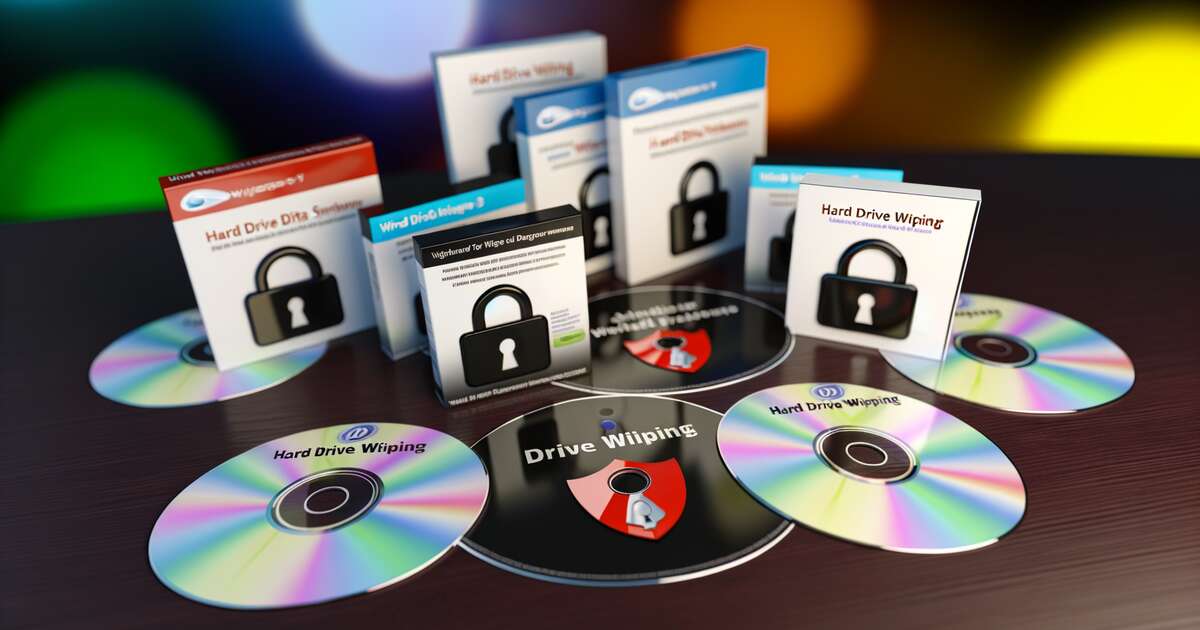
Choosing the Right Software for Wiping Your Hard Drive
When it comes to securing your data, selecting the right software to wipe your hard drive is crucial. With so many options available, how do you ensure you’re picking a tool that’s both effective and trustworthy? 🤔
Key Features to Look For
First and foremost, look for software that offers comprehensive wiping capabilities. This means it should be able to securely erase all the data, making it unrecoverable. Additionally, the software should support multiple wiping standards, such as DoD 5220.22-M and NIST 800-88, to cater to different security requirements.
User-friendliness is another important aspect. The process of wiping a hard drive should be straightforward, even for those who aren’t particularly tech-savvy. Can you navigate the software easily? Does it provide clear instructions? These factors are essential for a stress-free data eradication.
Reliability and Support
Choose software that has a proven track record of reliability. Look for reviews and testimonials from other users to gauge its effectiveness. Additionally, ensure that the software provider offers robust customer support just in case you run into any issues during the wiping process.
Top Software Picks
Some popular and highly recommended software options include DBAN, Blancco Drive Eraser, and Stellar BitRaser for File. Each of these tools offers unique features tailored to different wiping needs and security levels. Have you considered your options yet? 💻
Step-by-Step Guide to Securely Wipe Your Hard Drive
Ready to ensure all your privacy concerns are laid to rest? Cleaning up your hard drive doesn’t just free up space—it secures you from potential data theft! Let’s explore how to wipe your hard drive securely, ensuring that your sensitive data is irrecoverable.
What You’ll Need to Begin
- Choose a reliable data wiping software.
- Ensure your data is backed up.
- Plug your laptop into a power source.
Begin by selecting a trusted wiping software—which can vary from DBAN to Blancco. Why risk using uncertain software when you can go for ones highly recommended by cybersecurity experts? 🛡️
Executing the Wipe
Once your backup is safe and the software is ready, start the wiping process. Follow the software instructions closely, usually involving choosing the drive and wiping method. Did you know that a single pass might not be enough for complete security? That’s why some experts recommend multiple passes. However, one step at a time—let’s get the process started!
The Importance of Multiple Wipe Passes for Enhanced Security
When it comes to securely wiping your hard drive, one pass might not be enough. But why is that? It’s all about making sure your data doesn’t just seem deleted, but that it truly can’t be recovered. So, let’s dive into why multiple wipe passes are crucial for sky-high security levels.
Initially, wiping your hard drive even once seems like it should do the trick, right? However, remnants of data can still linger, and some high-tech recovery methods can piece this leftover data back together. That’s pretty alarming, isn’t it? By using multiple passes, each layer of data is overwritten, thus significantly reducing the risk of any data reconstruction — a critical step for those who handle sensitive or valuable information.
Moreover, there are various standards and methods available for wiping data, like the Department of Defense’s (DoD) standard, which recommends multiple passes. The first pass writes a specific pattern, followed by another pattern in the next pass, and often a random pattern in the final pass. Isn’t it fascinating how these patterns enhance your data’s security? Continuing with multiple passes ensures that the data on your hard drive isn’t just erased; it’s securely shielded from advanced recovery threats.
- Overwrites data completely, removing traces effectively
- Meets or exceeds standards set by data security protocols
- Deters all but the most sophisticated data recovery efforts
In summary, making multiple passes when wiping your hard drive isn’t just about following procedure—it’s about making your data security as ironclad as possible. Have you considered this enhanced step in your data protection strategy yet?
Verifying the Wipe: Ensuring All Data Is Unrecoverable
After you’ve gone through the process of wiping your hard drive, you might think your data is completely gone, right? However, it’s crucial to ensure that all the data is truly unrecoverable. With identity theft and data breaches on the rise, the last thing you want is for sensitive information to fall into the wrong hands.
To verify that your data is irrecoverable, it’s wise to use data recovery software to try and retrieve files after the wipe. This might sound counterintuitive, but think about it— if these tools can’t find anything, then you’ve done a thorough job! Tools like Recuva or TestDisk are popular choices. Isn’t it better to be absolutely sure that your data is safe?
Additionally, consulting with professionals who specialize in data destruction can provide an extra layer of reassurance. These experts can perform advanced tests to confirm that your data is beyond recovery. Remember, securing your digital footprint is no small task, and ensuring the complete eradication of data on your hard drive is a crucial step towards total data security. 🛡️
- Use data recovery software as a test to ensure data is unrecoverable.
- Consider advanced verification methods offered by data destruction professionals.
- Keep up to date with the latest in data security practices to protect your information.
Common Questions
How can I completely wipe a hard All drive?
To completely wipe a hard drive, you can use a software utility designed for data destruction. Tools like DBAN (Darik’s Boot and Nuke) allow users to create a bootable disk that can be used to overwrite all the data on the hard drive with meaningless data, ensuring that it’s irrecoverably erased. This method is often employed when disposing of or recycling a computer, to prevent any possibility of data recovery. It is important to ensure that the software used meets the specific data destruction standards like the U.S. Department of Defense’s 5220.22-M standard.
How do I wipe my hard drive before recycling?
Wiping your hard drive before recycling is crucial to protect your personal data. Using software tools like DBAN or Eraser can effectively erase your hard drive. These tools overwrite your existing data with random data multiple times, making it almost impossible for data recovery tools to retrieve the original data. It’s also advisable to remove and physically destroy the hard drive if you are concerned about highly sensitive data. Additionally, some recycling centers offer data destruction services, so it’s worth checking with them to ensure your data is completely wiped off before recycling.
Does wiping a hard drive remove the operating system?
Yes, wiping a hard drive will remove the operating system as it involves erasing all the information stored on the drive, including system files needed to run the operating system. If you plan to continue using the computer, you will need to reinstall the operating system after the drive is wiped. Back up any important files and ensure you have access to installation media and a valid license key for the operating system you intend to install.
Does factory reset wipe the hard drive?
A factory reset does wipe the hard drive, but it primarily returns the device to its original state with the operating system and pre-installed apps, so it might not erase all personal data thoroughly. For more thorough data deletion, using dedicated software to overwrite the hard drive multiple times or physically destroying the drive is recommended, especially for devices containing sensitive or personal information.
Post-Wipe Steps: What to Do After Wiping Your Hard Drive
So, you’ve just finished wiping your hard drive – what’s next? It’s crucial to ensure that your device is ready for use again, whether you’re passing it on or setting it up anew. After completing a thorough wipe, there are a few key steps you should follow to maintain both functionality and security. Let’s dive into these essential post-wipe actions!
1. Verify the Wipe
First things first, you’ll want to double-check that all data is indeed irrecoverable. Utilizing software tools to verify a clean slate can provide that extra peace of mind. Have you ever considered what could happen if sensitive information were to fall into the wrong hands? Ensuring the drive is truly wiped helps mitigate this risk.
2. Reinstall Your Operating System
Next up, it’s time to reinstall the operating system (OS). Whether it’s Windows, macOS, or another OS, a fresh install is vital to start from a clean slate. This step is especially important if you’re handing off the device to someone else – you wouldn’t want them to encounter any traces of your data, right?
3. Restore Your Backups
Assuming you backed up your important files before the wipe (which is always a good idea!), now is the time to restore them. Carefully select only the essential files to minimize the risk of reintroducing any potentially corrupted or compromised data. This is also a great opportunity to reorganize and declutter your file storage. Who doesn’t love a fresh start with a tidy digital environment?
4. Update Security Settings
Finally, update all security settings once your system is up and running again. Install reliable antivirus software, adjust your privacy settings, and ensure all security patches and updates are applied. Isn’t it better to be safe than sorry when it comes to protecting your digital life?
Final Thoughts: How to Securely Wipe Your Hard Drive: Safeguard Your Data
Now that you’ve journeyed through the process to wipe your hard drive, you’re well-equipped to safeguard your personal and sensitive data against unauthorized access. Imagine the peace of mind knowing that your private information is secure! Aren’t you feeling more confident about handling your own data security by now?
Remember, regularly wiping your hard drive is a great habit, especially if you plan to sell or dispose of your computer. Have any lingering questions or curious what other tech-savvy ways there are to protect your digital life? Stay tuned to our blog for more insights and easy-to-follow tech tips! ✨


