
How to Get Water Out of iPhone Speakers: A Step-by-Step Guide
Accidentally got your iPhone wet and now you’re struggling with muffled audio? Don’t panic, you’re not alone! Figuring out how to get water out of iPhone speakers can seem tricky, but it’s actually simpler than you might think. Whether it’s a splash from the kitchen sink or a dip in the pool, wet iPhone speakers can definitely dampen your day.
In this guide, we’ll walk you through some effective, step-by-step methods to safely remove water from your iPhone speakers, ensuring that your tunes and calls are crystal clear again. Are you ready to restore your iPhone to its pristine, functional state? Let’s dive into the solutions that will bring your speakers back to life!
Understanding the Risk of Water in iPhone Speakers
Have you ever been caught in the rain with your iPhone, only to find out your speakers now sound muffled? The presence of water in iPhone speakers can be more than just annoying; it can lead to significant damage if not addressed promptly. Understanding this risk is crucial for maintaining your device’s longevity and performance.
Water and electronic devices are a notorious mix, often leading to corrosion, reduced sound quality, or even complete speaker failure. When water infiltrates the intricate components of your iPhone speakers, it disrupts the normal operation of these finely tuned parts. This interference might initially manifest as distorted audio or low volume levels.
But why is this such a big deal? Moisture can start a chain reaction of deterioration inside your device. Over time, if the water remains, corrosion can set in, permanently damaging the speaker’s components. This not only affects your sound experience but can also significantly decrease your iPhone’s resale value. So, what should be your immediate step to get Water Out of iPhone speakers safely?
- Turn off your iPhone immediately to prevent short circuits.
- Remove any case or accessories to aid drying.
- Keep the device in an upright position to help water drain out.

Initial Steps to Take When Your iPhone Gets Wet
Nobody wants the panic of a wet iPhone, especially when it’s the speakers that have taken the hit! So, what are the initial steps you should take when your iPhone gets wet to prevent any damage? First things first, do you know just how quickly you need to act? Time is of the essence!
If your iPhone has just had an unwanted bath, power it off immediately. This reduces the risk of short circuits that can cause more serious damage. Next, grab a soft, lint-free cloth to gently wipe away any excess water from the surface of your device. Avoid shaking or tilting the iPhone excessively, as this could inadvertently push water deeper into the device.
It’s a common myth that rice is the go-to solution for wet electronics. However, this isn’t the best approach for taking Water Out of iPhone speakers. Instead, keeping the device upright can help the water drip out more naturally from the speakers. Have you considered the gravity method that we will discuss later in the article?
- Turn off your iPhone immediately.
- Gently dry the exterior with a soft cloth.
- Keep the device upright.
- Resist the urge to use rice or heat to dry out the device.
Remember, quick and calm actions can make a huge difference in preventing water damage. Stay tuned as we explore more detailed methods such as using sound frequencies and apps designed to eject water safely from your iPhone speakers. 📱💦
Using Gravity: The Simplest Method to Remove Water
Getting Water Out of iPhone speakers can sometimes be as simple as using good old gravity! But how exactly does this work, you might wonder? It’s all about positioning and patience.
Firstly, gently wipe the exterior of your iPhone with a soft, absorbent cloth to remove any excess water. Make sure the phone is turned off to avoid any short circuits. Next, hold your iPhone upright, speaker side down. Gravity will help the water droplets to naturally fall out. Give it some time—patience is key here. While it might be tempting to shake your phone, resist this urge as it could potentially push water deeper into the device.
Can You Speed Up the Process?
While letting gravity do its job, you might think, ‘Is there a way to speed this up?’ Placing your iPhone in a well-ventilated area or near a gentle source of warm air can aid the evaporation process, but avoid direct heat sources like hairdryers as these can damage your phone’s internals.
Remember, this method is wonderfully simple and doesn’t require any special tools or risky procedures. Just a little bit of time and gravity can get your speakers clear of water and your iPhone back to serenading you with its tunes. 🎶
Safe Use of Sound and Apps to Eject Water
Has water gotten into your iPhone speakers? It’s a nerve-wracking problem but, luckily, there’s a fascinating and safe solution using sound and special apps designed to eject water. These methods employ specific frequencies that help push the water droplets out of the speaker cavities. 🎶
One popular app that has gained recognition is the ‘Sonic’ app available on the App Store. The app lets you control the frequency, allowing you to set a tone that efficiently moves water out while minimizing potential damage. Isn’t it amazing how a simple sound wave can be the hero of the day?
How to Use Sound Apps
Start by downloading a reliable app from your iOS App Store. Once installed, place your iPhone in a horizontal position, the speaker side down. Follow the app’s instructions to generate the sound. You may need to experiment with different frequencies, as the effectiveness can depend on how much water is trapped.
- Check the app settings and adjust the frequency
- Place your phone horizontally, speaker side facing down
- Carefully monitor the water expulsion process to avoid overexposure to the sound
Remember, while this method is helpful, it’s crucial to use it cautiously to ensure you’re not causing additional harm to your iPhone’s speakers. Always start at a lower frequency and increase slowly if needed. Have you tried using one of these apps before? What was your experience?
Home Remedies: Do’s and Don’ts for Drying Out
When it comes to getting water out of iPhone speakers, knowing the do’s and don’ts of home remedies can be a game-changer. Can you guess why? Home remedies are often readily available and seemingly harmless, but not all are suitable for delicate electronics like your iPhone.
Do’s for Drying Out Your iPhone
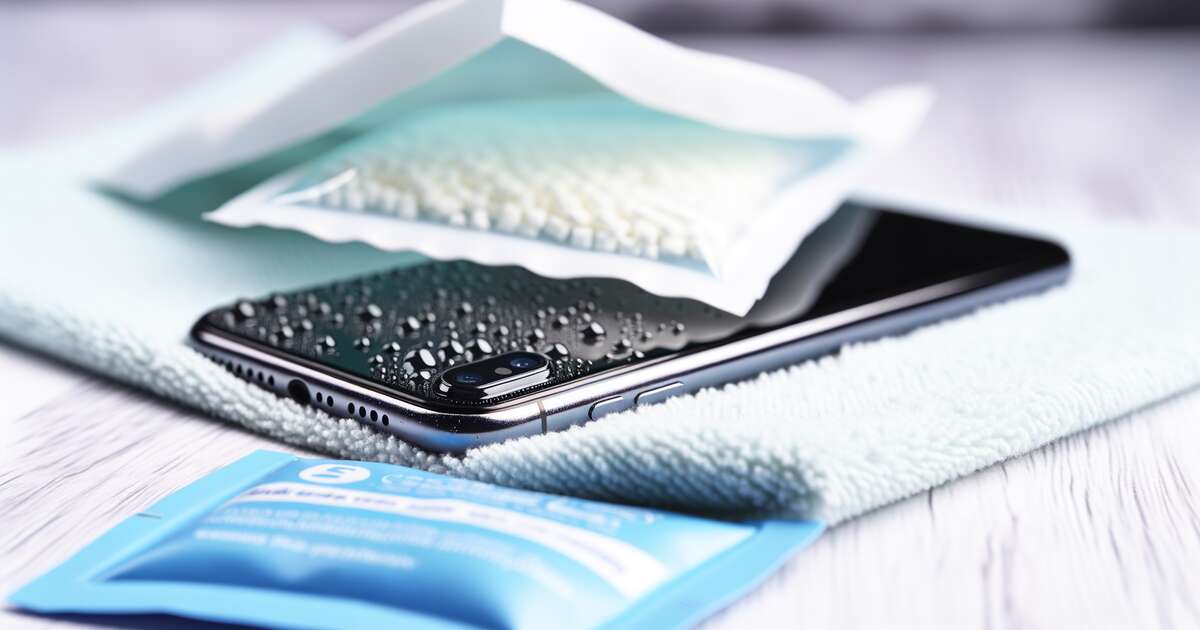
- Use silica gel packets: These are desiccants that absorb moisture effectively. Just place them near your iPhone in a sealed container overnight.
- Leave the device in a dry, warm place: Airing out your device can help moisture evaporate naturally without damaging the components.
Don’ts for Drying Out Your iPhone
- Do not use a hairdryer: The intense heat can warp internal components and worsen the water damage.
- Steer clear of rice: Contrary to popular belief, rice can leave dust and starch particles in your device, potentially leading to further issues.
Remember, while some home remedies might be tempting to try, they can sometimes do more harm than good. Always prioritize methods that are safe and recommended for electronics. Have you ever used any of these methods to get Water Out of iPhone speakers?
Common Questions
How to eject water from an iPhone?
To eject water from an iPhone, especially newer models, users can utilize a feature in the Shortcuts app. Once you download a pre-made shortcut for ejecting water, you can run it to play a specific sound that helps push water out of the device’s speakers. Alternately, you can gently tap the phone against your hand with the speaker side facing down to help remove the water. Ensure your iPhone is turned off and avoid using things like hair dryers as they might damage the internal components.
How do I get liquid out of my iPhone?
If liquid enters your iPhone, first turn the device off immediately and disconnect all cables. Try removing as much water as possible by gently tapping the phone on your hand with the Lightning connector facing down to encourage the liquid to escape. Avoid inserting any objects into the ports. Leave the iPhone in a dry, ventilated place. Silica gel packs or uncooked rice can also be used to help draw out moisture. However, do not use heat sources like hairdryers as these can cause additional damage.
How to get water out of your phone?
To remove water from your phone, first power it off and remove any SIM cards or external attachments. Gently tap the phone against your hand with the ports facing downward to encourage the water to drip out. Place the device in a bag of uncooked rice or use silica gel packets, which can help absorb the moisture. Let the device sit in the absorbent material for at least 24-48 hours. Avoid applying direct heat, such as from a hairdryer, as it can further damage the phone. After the waiting period, check if the phone turns on and operates correctly.
Can you fix an iPhone with water in it?
Fixing an iPhone with water damage can be variable depending on the severity of the intrusion and the duration of exposure. Immediately turn off the phone to reduce the chances of short circuits. After removing excess water as described in previous answers, it may be viable to visit an authorized service provider. Technicians can assess if internal components are salvageable or need replacement. However, water damage is not typically covered under a standard warranty, and repairs might be significant in cost, especially if major components need replacing.
Preventing Future Water Damage to Your iPhone
Once you’ve successfully managed to get water out of iPhone speakers, the next logical step is to ensure it doesn’t happen again. Preventing future water damage is key to maintaining the longevity and performance of your tech gadgets. But how exactly can you safeguard your iPhone from unwanted water encounters?
Firstly, consider investing in a waterproof case. These cases are designed specifically to keep moisture out and protect your iPhone from the elements. It’s a small investment that can save you a lot of hassle and potential repair costs down the line. Additionally, always be mindful of where you place your iPhone; avoid leaving it near pools, bathrooms, kitchen sinks, or other water-prone areas.
- Use water-resistant skins and covers to add a layer of protection.
- Keep your iPhone away from high-humidity environments.
- Check weather reports before heading out to avoid rain exposure.
Protecting your device doesn’t just prevent functional issues; it also preserves its resale value. Why risk the stress? With these simple measures, you can drastically reduce the likelihood of water damage to your iPhone 📱. Have you ever thought about how much peace of mind a waterproof case could offer?
Final Thoughts: How to Get Water Out of iPhone Speakers
Now that you’ve navigated through the clear, practical steps to get water out of iPhone speakers, you’re all set to keep your device functioning at its best. Think of the peace of mind you’ll have next time an accidental splash happens! 🌊 Isn’t it great to know that a quick resolution is right at your fingertips?
Remember, taking prompt action can make a huge difference in protecting your iPhone. Next time you find yourself facing water trouble, refer back to this guide or share it with someone in need. Safe and sound—your iPhone speakers are ready to deliver crystal-clear sound once more!


