

Guide to Listening to TV with Your Headphones
Are you looking to enjoy your favorite TV shows and movies without making a peep? The ultimate solution to relish those late-night binge sessions or those action-packed scenes without disturbing anyone around is to learn how to listen to TV with headphones. It’s simple, effective, and can completely transform your viewing experience!
Whether you’re living in a busy household or just want to immerse yourself in a crystal-clear audio escape, this guide will provide you with all the steps you need. We’ll explore various types of headphones, how to connect them to your television, and even some tips for achieving the best sound quality. Before you know it, you’ll be all set up to listen to TV headphones for an intimate and uninterrupted audio journey. Plus, think about the peace that comes with knowing you’re not bothering anyone else — isn’t that sweet? 🎧
Exploring Different Types of Headphones for TV Listening
When considering enjoying your favorite TV shows without disturbing those around you, choosing the right headphones can make all the difference. But with so many types available, how do you know which ones will best enhance your listening experience?
Wireless Headphones
Wireless headphones are a go-to choice for many because of their convenience. Imagine being able to move freely without getting tangled in wires—sounds great, right? They connect via Bluetooth and offer a comfortable, hassle-free way to enjoy TV, especially if you love watching from a distance.
Noise-Cancelling Headphones
For those who need complete immersion into their shows or movies, noise-cancelling headphones are a must-try. They work by reducing unwanted background noise, ensuring that you can catch every dialogue and sound effect without cranking up the volume. Perfect for late-night viewing, wouldn’t you agree?
Wired Headphones
For the purists who value sound quality above all, wired headphones are sometimes the preferred option. They generally provide more stable connections and can deliver high-quality audio without the need for batteries. Plus, they’re often more budget-friendly, making them a great entry point for TV headphone newbies.
Remember This!
No matter which type of headphones you choose for listening to TV, the key is ensuring they’re comfortable for long viewing sessions. Also, consider the battery life for wireless options, and always check for compatibility with your TV model. Ready to dive into a new auditory experience with your favorite shows?
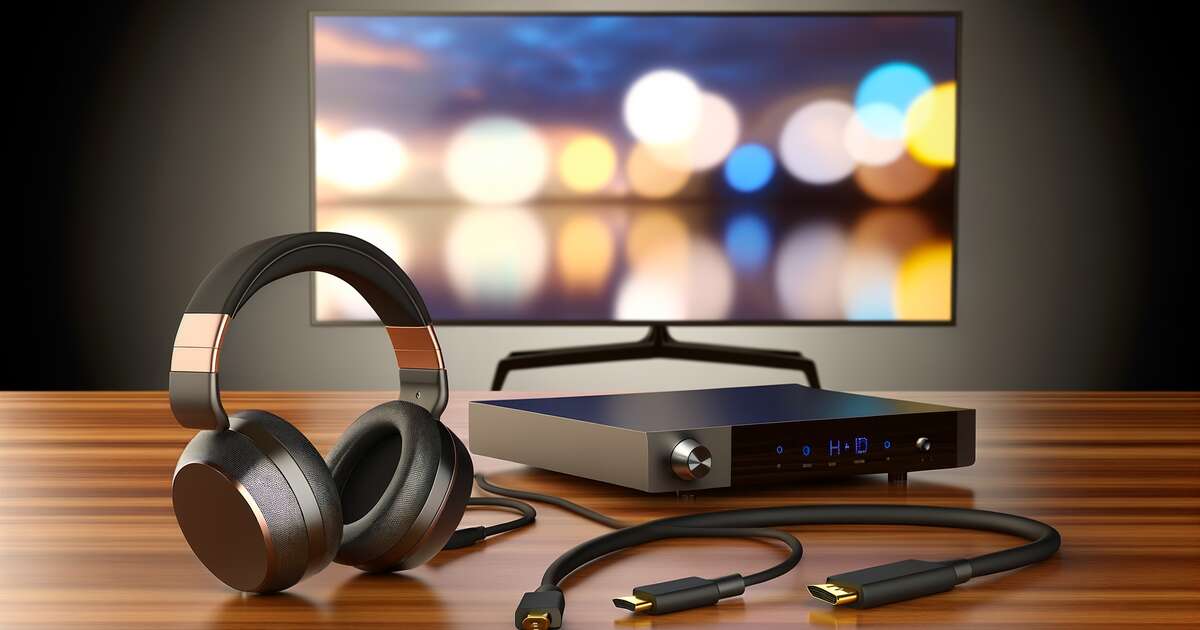
Step-by-Step Guide to Connecting Headphones to Your TV
Are you ready to dive into a world of crystal-clear audio while watching your favorite TV shows without disturbing others? 🎧 Connecting headphones to your TV may sound like a challenge, but fear not! We’ve got you covered with a handy step-by-step guide that will make the process a breeze.
Identifying Your TV’s Audio Outputs
First, take a look at the back or side panel of your TV. Do you see any ports labeled ‘audio out’? These could be standard 3.5mm headphone jacks, RCA outputs, or even optical audio outputs. Identifying the right port is crucial for the next steps, so have a quick check! 📺
Selecting the Right Headphone Type
Depending on your TV’s outputs, your headphone choice might vary. For most modern TVs, Bluetooth headphones offer a convenient wireless option. However, if you prefer using traditional wired headphones, ensure they’re compatible with the output you have available.
Connecting Your Headphones
Wired Headphones: Simply plug the headphones into the audio port on your TV. It’s that easy! For Bluetooth headphones, you’ll need to pair them. Navigate to the settings menu, select ‘sound,’ then ‘audio output’ and choose your Bluetooth headphones from the list of discoverable devices.
Still having trouble figuring out how to connect your headphones? Why not refer to your TV’s user manual for specific instructions tailored to your model! 👀
Tips for Improving Audio Quality When Using Headphones
Want to enhance your TV listening experience with headphones? Improvement in audio quality can drastically boost your enjoyment and immersion. Let’s explore some practical tips that can help you achieve crystal-clear sound when using headphones to listen to TV.
Firstly, consider investing in high-quality headphones specifically designed for TV viewing. These often come with features like enhanced bass and noise-cancellation that can make a world of difference. Have you ever experienced the magic of active noise-cancelling headphones? They can filter out the background household noise, allowing you to focus solely on your show.
Next, adjusting the audio settings on your TV might be necessary. Many modern TVs offer specialized audio settings for headphones. Look for modes like ‘Cinema’ or ‘Sports’ to match the audio profile to the content you are watching. This can enhance dialogue clarity and provide a more dynamic audio experience.
- Use high-quality, TV-specific headphones for optimal sound.
- Adjust your TV’s audio settings to match your viewing content.
- Regularly update your headphones’ firmware if they are wireless.
Lastly, if you are using wireless headphones, ensure they are regularly updated. Manufacturers often release firmware updates that improve connectivity and audio processing capabilities. Isn’t it amazing how a simple update can enhance your listening experience? Give it a try!
Troubleshooting Common Problems with TV Headphones
Facing issues with your TV headphones? You’re not alone. Whether it’s audio sync issues, connectivity problems, or poor sound quality, here’s how to troubushoot these common problems. After all, who doesn’t want a crystal-clear listening experience while catching up on their favorite series or movies?
Check Connection and Compatibility
First, ensure that your headphones are properly connected. Whether you’re using wired or wireless options, a secure connection is crucial. For Bluetooth headphones, check that they are paired and connected to the right device. Are your devices compatible? Sometimes, the issue could be as simple as a compatibility problem between your TV model and the headphones!
Audio Sync Issues
Is the audio lagging behind the video or are voices not matching the lips? This can be especially frustrating. On many devices, you can adjust the delay settings directly on your TV or through a connected sound system. Check your TV’s sound settings for an option to adjust the ‘audio delay’ or ‘lip sync’.
Poor Sound Quality
If the sound from your Listen to TV Headphones seems muffled or distorted, consider adjusting the audio settings on your TV. Increasing the ‘bass’ or ‘treble’ might help, or you may need to explore equalizer settings. Don’t forget to check the volume level both on your TV and the headphones themselves—sometimes the fix is that simple!
Reviewing the Best Headphones for TV Listening in 2023
When it comes to enhancing your television viewing experience, selecting the right headphones is essential. This year has seen impressive models that provide outstanding sound quality without compromising on comfort. Have you ever wondered how some headphones can make every whisper and explosion sound so realistic? Let’s explore some of the best headphones for TV listening in 2023 that can transform your audio experience!
First on our list is the Sony WH-1000XM4, renowned for its noise-canceling capabilities and crystal-clear audio reproduction. These headphones are perfect for those who want to fully immerse themselves in their favorite shows without any external interruptions. Another top contender is the Bose QuietComfort 45, which offers exceptional comfort and sound precision, ideal for long movie marathons. Don’t you think these could be your next buy?
For those on a budget, the Sennheiser HD 559 provides a fantastic balance between quality and affordability. With an open-back design, they offer a natural soundstage that enhances the realism of your TV audio. Lastly, for the tech-savvy, the SteelSeries Arctis Pro Wireless stands out with its dual-wireless technology, allowing you to listen to TV headphones without worrying about tangled wires or battery life.
- Sony WH-1000XM4: Best for Noise Cancellation
- Bose QuietComfort 45: Best for Comfort
- Sennheiser HD 559: Best Budget Option
- SteelSeries Arctis Pro Wireless: Best for Wireless Connectivity
Choosing the right headphones from this list can significantly enhance your TV watching experience, providing you with immersive sound that captures every detail from dialogue to sound effects. Are you ready to upgrade your home entertainment setup with one of these top-notch headphones?
Common Questions
How can I listen to my TV with headphones?
To listen to your TV with headphones, you can choose between wired or wireless options. For wired headphones, simply connect them to the headphone jack on your TV. If your TV does not have a headphone jack, you may need an adapter or a converter that connects to your TV’s audio output. For a wireless option, Bluetooth headphones are a popular choice. If your TV supports Bluetooth, you can pair your headphones directly. Alternatively, you can use a Bluetooth transmitter that connects to the TV’s audio output and sends the audio signal to your Bluetooth headphones.
Are there headphones for watching TV?
Yes, there are headphones specifically designed for watching TV. These headphones come in both wired and wireless formats and are optimized for clear dialogue and long-wearing comfort. Wireless TV headphones often come with a base station that connects to the TV and doubles as a charger and a transmitter for the headphones. Some models also feature noise-cancellation, personalized volume controls, and enhanced audio settings to improve the listening experience for TV programming.
How to listen to TV without disturbing others?
To watch TV without disturbing others, using headphones is an ideal solution. Wireless headphones are especially suitable as they allow you to move freely without cords. Bluetooth headphones can be paired with your TV if it supports Bluetooth connectivity. Alternatively, multiple companies produce wireless TV-specific headphones that connect via a base station that plugs into your TV’s audio output. This allows for personal volume control and can be particularly useful in a shared space or at night when others may be sleeping.
Can you get headphones to watch TV?
Yes, you can get headphones that are specifically designed for watching TV. These headphones are available in both wired and wireless forms. Wireless models are particularly convenient for TV viewing as they often come with a transmitting base that connects to your TV and sends audio directly to the headphones, allowing you to move freely without the restriction of wires. These headphones are engineered to offer high-quality audio that enhances voices and dialogues, making them ideal for films, TV shows, and news programs.
Understanding the Impact of Wireless Tech on TV Audio
Wireless technology has revolutionized the way we experience television audio, especially when using headphones. Have you ever noticed how liberating it feels to watch TV with wireless headphones, free from the clutter of cords? This shift towards wireless systems has not only enhanced the ease of use but also significantly improved the audio quality, making your listening experience far more immersive.
But how exactly does wireless technology impact the audio you hear? It all relies on the transmission of audio signals via Bluetooth or other wireless technologies, which maintain the integrity of sound without the traditional losses associated with analog connections. This means you can enjoy crisp, clear audio, whether you’re catching up on your favorite series or watching a blockbuster movie.
Advantages of Wireless Headphones for TV
- Enhanced Mobility: Move freely without worrying about cable length.
- Crisp Sound Quality: Experience fewer disturbances and interferences.
- Connection to Multiple Devices: Easily switch between audio sources.
Moreover, the integration of advanced noise cancellation technologies in many wireless headphones means you can keep external noises at bay, focusing solely on your TV audio. Isn’t it amazing how technology allows us to create such personalized audio environments, all without disturbing those around us? 😊
Final Thoughts: Guide to Listening to TV with Your Headphones
Now that you’ve delved into the convenient world of using headphones to listen to TV, aren’t you excited to try it out for yourself? Whether you’re opting for wireless freedom or the high fidelity of wired models, listening to TV with headphones ensures you never miss a word of your favorite shows and movies while keeping the peace at home. Plus, with tips to enhance audio quality and troubleshoot any issues, you’re all set for a seamless listening experience.
Remember, choosing the right headphones can make a huge difference. Why not test out a few recommended models and see which one fits your TV audio needs and comfort preferences? Embrace the change, and soon, you’ll wonder how you ever managed without it! Have fun experiencing TV in a way that you never have before, and enjoy every soundbite to the fullest! 🎧📺


