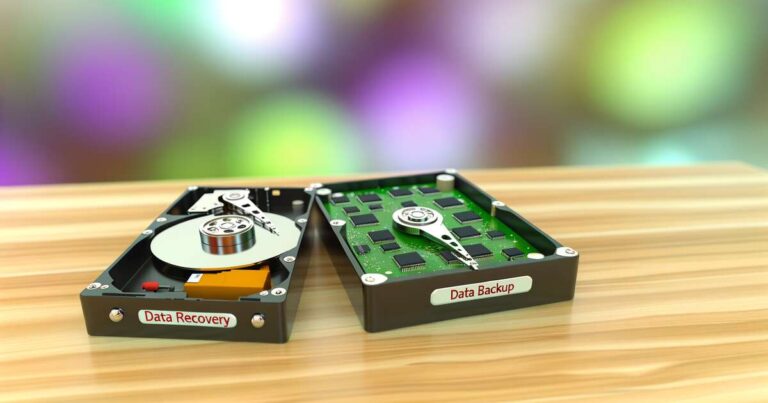
Data Recovery in a Flash: Quick and Effective Methods
Losing data can be a heart-stopping experience, right? Whether it’s cherished family photos, important work documents, or essential system files, the sudden loss highlights the critical need for Data Recovery. But fear not! There’s no need to panic when you’re equipped with the right knowledge and tools. This guide dives into the quick and effective methods that can retrieve what you thought was lost forever.
But what makes these methods fast and efficient? From software solutions to professional services, understanding your options can save you time and stress. Imagine the relief of recovering your precious files quickly! 🚀 Keep reading to explore some of the most efficient ways to bring your data back from the digital void.
Understanding Data Recovery: Core Concepts Explained
At its core, data recovery revolves around restoring lost, corrupted, or accidentally deleted information from data storage devices. But what’s really happening when software claims to ‘recover’ your data? 🤔 Let’s break down the core concepts to make this technical process a bit easier to grasp.
Firstly, when data is deleted, it’s not immediately removed from the device. Instead, the system marks the space it occupied as available for new data. Data recovery software takes advantage of this by scanning these spaces to recover files before they are overwritten. Pretty cool, right?
Furthermore, data recovery isn’t just about grabbing what’s lost. It also involves intricate processes to repair files that might have been damaged during a system failure or a malware attack. The software analyzes the intact parts of your storage to piece together lost or damaged files as seamlessly as possible.
Now, have you ever wondered if data recovery is always successful? Unfortunately, it’s not a guaranteed process. The success of data recovery can depend greatly on how quickly you act after data loss occurs and how much new data has been written to the device.

The Best Data Recovery Software of 2023 Reviewed
In 2023, the stakes for efficient and reliable data recovery software are higher than ever. With an ocean of data floating around, finding software that can swiftly bring back your lost files is like hitting a tech jackpot! 🎯 But, what makes the software stand out this year?
Let’s dive into some of the top contenders. Each of these solutions has been tested vigorously for their performance, user interface, and efficacy in different scenarios of data loss. Whether it’s accidental deletions, corrupt files, or disk failures, these tools promise to be your digital life-savers.
- Stellar Data Recovery: Known for its powerful scanning engine and high recovery rate.
- Recuva: Praised for its user-friendly approach and effectiveness in recovering from external drives.
- Wondershare Recoverit: Celebrated for its comprehensive recovery options and sleek interface.
Are you curious about how these tools handle severe data loss situations? Each software brings unique features to the table, yet they all focus on making recovery as painless as possible. What’s more, they often include previews of recoverable files, so you know exactly what you’re retrieving before the process begins.
Choosing the best data recovery software could be a game-changer for your personal or professional data management strategies in 2023. Why not give these tools a try and see which one best fits your needs? 🕵️♂️
Step-by-Step Guide to Performing Data Recovery
Starting the data recovery process can seem daunting, but with this simple step-by-step guide, you’ll be on your way to retrieving your lost files in no time. The first step is crucial: don’t panic! When you realize that you’ve lost data, it’s important to act swiftly but calmly to increase your chances of full recovery.
Begin by identifying the type of data loss you are facing. Is it due to accidental deletion, hardware failure, or perhaps a virus? Knowing the cause can help you choose the most effective recovery approach. Have you checked where your data might have gone before declaring it lost? Sometimes, it could just be in a different folder or a trash bin!

Pro Tips: Maximizing Success in Data Recovery
When it comes to Data Recovery, having a strategy is not just beneficial; it’s essential. Are you using the best practices to maximize your recovery success? Here, you’ll discover pro tips that could make a significant difference in recovering your critical data efficiently.
Firstly, always ensure your recovery software is up-to-date. Sounds obvious, right? But you’d be surprised how many people neglect this simple step. Updated software includes the latest algorithms and supports newer file types, which can be crucial for successful recovery.
Another key tip is to stop using the device immediately after data loss occurs. Why? Because continuing to use the device can lead to overwritten data, making recovery more difficult—or even impossible! 🚫
- Use high-quality data recovery tools—not just any freeware.
- Regularly test your backups (yes, testing them is as important as having them!).
- Consider the help of a professional if the data is extremely vital.
Lastly, don’t forget the importance of having multiple backups. Having different backup solutions—cloud, external hard drives, or even NAS devices—ensures that you’re covered from multiple angles. Can you afford to neglect this in your data recovery plan?
Common Questions
How can I recover my data for free?
To recover your data for free, you can use various freely available data recovery software solutions. Tools like Recuva, PhotoRec, or TestDisk offer capabilities to recover files from hard drives, SD cards, USB drives, etc. Before starting the recovery process, it’s crucial to stop using the damaged media to avoid overwriting lost data. Installing the data recovery tool on a different drive than the one you are recovering from can also prevent data loss. Carefully follow the instructions provided by the recovery software for the best chance of retrieving your files.
How do I recover deleted data?
Recovering deleted data involves using data recovery tools that can scan your drive for remnants of deleted files and attempt to reconstruct them. First, stop using the disk to avoid overwriting the deleted data. Next, choose a reliable data recovery software like EaseUS Data Recovery Wizard, Recuva, or Stellar Data Recovery, and install it on a different drive than the one containing the deleted files. Run a scan, preview recoverable files, and select the items you wish to restore. Finally, save the recovered files to a different drive to ensure the safety and integrity of the data.
How can someone do data recovery?
Data recovery can be performed by using specialized software designed to recover lost or deleted files. The first step is to select and install reputable data recovery software. Once installed, the software will need to scan the storage device where the data was lost. After the scan, the software typically displays a list of recoverable files. Users can then select the files they wish to recover. It is important to save the recovered files to a different device to prevent overwriting other lost data that might still be recoverable. For more complex cases, such as physically damaged hardware, professional data recovery services might be necessary.
How expensive is data recovery?
The cost of data recovery can vary widely depending on several factors including the type of storage device, the extent of damage, and the complexity of the recovery process. Simple software recovery can be free or cost a few dollars for the software, while professional services for physically damaged drives may range from a few hundred to several thousand dollars. The price is often influenced by the urgency of the recovery, the nature of the damage, the capacity of the storage medium, and whether cleanroom facilities are required for opening and repairing hard drives. It’s advisable to consult multiple service providers and request quotes to get an estimate of the costs involved for specific situations.
Common Challenges in Data Recovery and Solutions
Encountering obstacles while trying to perform Data Recovery on your devices? You’re not alone. From accidental file deletion to more complex hardware malfunctions, each challenge has a unique set of frustrations. But hey, don’t worry! Solutions are plentiful and more accessible than you might think.
Firstly, one common issue is logical errors in the file system. These can cause files to appear lost or corrupt. Recovering from such errors often requires specialized software that can rebuild the file system or retrieve the lost data. But are you wondering about physical damage, like a failing hard drive? In that scenario, more hands-on solutions such as drive repair or employing professional services might be needed. 🛠️
Moreover, overcoming challenges like overwritten data might seem daunting. But did you know that there are advanced techniques that can sometimes retrieve even these seemingly lost causes? It’s always worth consulting with a recovery expert or exploring deeper recovery software options.
Lastly, don’t forget to back up your data regularly. This proactive approach can help avoid the heartache of data loss in the first place. Isn’t it better to be safe than sorry?
Final Thoughts: Data Recovery in a Flash: Quick and Effective Methods
As we wrap up our exploration of data recovery, remember that the tools and tips we’ve discussed can drastically improve the way you handle data loss. From understanding core concepts to mastering the best software and strategies, each step brings you closer to safeguarding your digital information. Isn’t it relieving to know that effective solutions are just a few clicks away?
Whether you’re a tech newbie or a seasoned expert, embracing these methods will ensure you’re prepared for whatever data mishaps come your way. So, why wait to become a data recovery pro? Start applying these powerhouse techniques today and feel confident in your ability to tackle any data challenge, big or small! 😊