DIY Data Recovery: Can You Do It Yourself?
Curious about DIY Data Recovery and wondering if it’s something you can tackle on your own? With the right knowledge and tools, recovering your own data might not be as daunting as it seems. Whether you’ve accidentally deleted precious family photos or faced a hard drive crash, the possibility of retrieving lost files yourself can be both empowering and cost-effective.
This guide will walk you through some basic DIY Data Recovery techniques and tips to help you get started. But let’s be honest, the idea of messing with complex files and storage systems can be a little intimidating, right? Don’t worry! We’ve broken it down to make the process as simple and safe as possible. So, why not give it a shot before calling in the pros? 🛠️
Understanding the Basics of DIY Data Recovery
Ever lost an important document or photo on your computer? Panic sets in, and you’re frantically searching for any solution. Enter the possibility of DIY Data Recovery. But before diving in, it’s essential to understand what DIY data recovery entails. Essentially, it’s the process you undertake to revive lost files from storage devices like hard drives, USBs, and memory cards, using software or basic manual methods.
So, what makes DIY data recovery an option to consider? For starters, it’s cost-effective and immediate. You don’t have to wait for days to get your data back from a professional service. 🕒 Plus, it maintains your privacy since you’re not handing over sensitive information to strangers. But, how simple is it really? Will your regular computer know-how suffice or do you need more advanced skills? 😬
- Understanding common file systems (like NTFS for Windows or HFS for Mac).
- Knowing potential recovery software features that are suitable for different types of data loss.
- Being able to follow step-by-step procedures without causing further data damage.
At the core, DIY Data Recovery can be a rewarding challenge, empowering you to tackle unexpected data loss proactively. However, it’s not free from risks; mishandling the recovery process can lead to permanent loss of data. That’s why understanding the basics is crucial—know what you are getting into and assess whether you’ve got the necessary skills and tools.

Common Scenarios That Warrant DIY Data Recovery
Ever had that heart-stopping moment when you realize a crucial file has just disappeared? Whether it’s accidently hitting ‘Delete’ on a family photo album or facing a sudden laptop crash with all your project work, certain mishaps can lead you to consider DIY Data Recovery. But, when exactly is it appropriate to take matters into your own hands?
One common scenario is when you delete files and then empty the recycle bin without a backup. It’s a simple mistake, and thankfully one that can often be remedied with basic recovery software. Another frequent situation arises with corrupted USB drives or SD cards. These issues can usually be resolved by using recovery tools that can read the raw data directly from the device.
Then there are the more complex cases, such as system crashes or disk errors that render your computer unbootable. If you’re comfortable tweaking BIOS settings or booting from an external drive, DIY approaches can often bring back your data without the need for professional help. But, how confident are you with these more advanced methods?
- Accidental file deletion
- Corruption in storage devices like USBs and SD cards
- System crashes leading to unbootable devices
Before diving into recovery, always ensure you assess the level of damage and the potential risks involved. Sometimes, a well-intended DIY effort can exacerbate the problem. When in doubt, consulting a professional might save your data—and your sanity!
Essential Tools and Software for Data Recovery
When attempting DIY Data Recovery, having the right tools and software is crucial. But what exactly should you have in your digital toolkit? 🛠️
Firstly, a reliable data recovery software is the linchpin of DIY data recovery. Choose software known for its comprehensive recovery features and compatibility with various file systems. Whether it’s recovering photos, documents, or media files, these tools can salvage data from corrupted, damaged, or formatted drives.
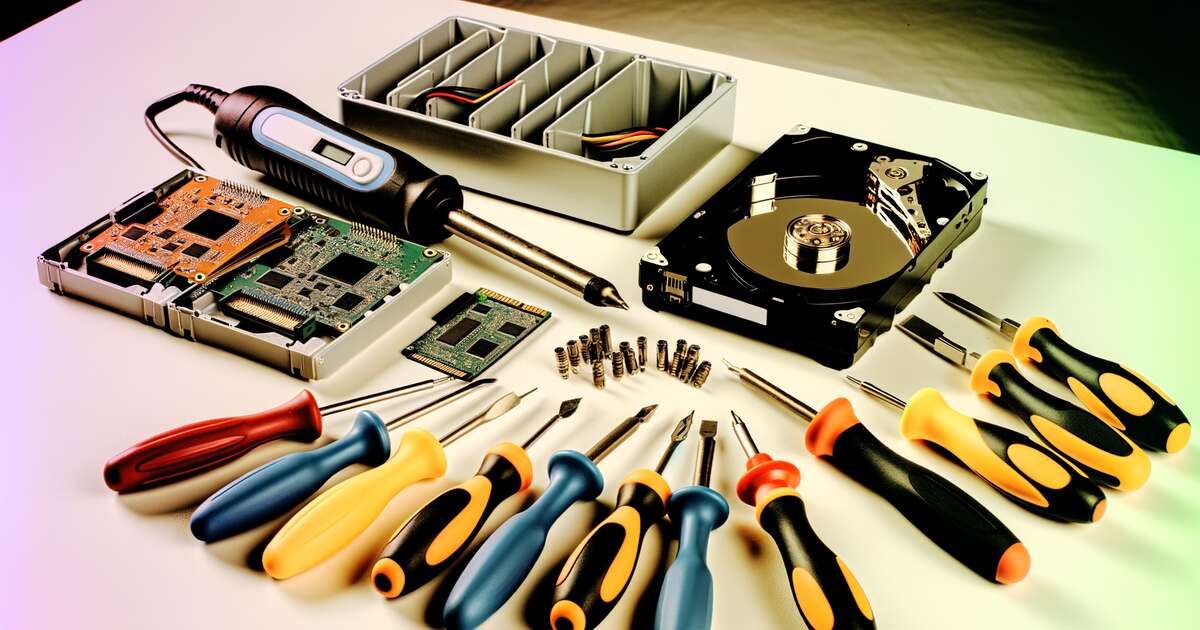
Besides software, don’t forget about hardware tools. A good quality external hard drive is essential for safely storing recovered files, ensuring you don’t lose them again. Also, consider having a USB drive and possibly a docking station if you are dealing with different types of storage media.
Are you equipped emotionally, too? Patience is often overlooked but is essential when data recovery takes longer than anticipated. 🕒 Lastly, educate yourself on the basics of how data storage works -this knowledge can tremendously boost your success rate in recovering files. So, are you ready to tackle your next DIY data recovery project?
Step-by-Statement Approach to Recover Lost Files
Embarking on DIY Data Recovery can be daunting, but by following a step-by-step approach, you can enhance your chances of success. Are you ready to see how you can tackle this challenge? Let’s dive in!
Initially, ensure that you stop using the affected device immediately. This prevents the overwriting of files and increases the probability of a successful recovery. Next, determine the cause of data loss – was it accidental deletion, corruption, or a hardware failure? Identifying the root cause will help guide your recovery strategy.
Now, install a reliable data recovery software, but remember, install it on a different drive than the one you are recovering from! Begin the recovery process by selecting the specific file types you are attempting to retrieve or use the ‘complete recovery’ mode if you’re unsure. Isn’t it great how targeted the process can be?
After initiating the scan, exercise patience—these tools meticulously comb through your drive for lost files. Preview the recoverable files and choose the important ones, ensuring not to save them back onto the device you’re recovering from to avoid data overwriting.
Finally, take a deep breath and start recovering your files. Once the recovery is done, double-check the files for integrity. Do you feel a sense of achievement? 🎉 Remember, regular backups from now on can save you from future stress!
Limitations and Risks of DIY Data Recovery
Attempting DIY data recovery can certainly feel empowering as you try to retrieve lost or damaged files from your digital devices. However, it’s crucial to recognize the potential limitations and risks associated with this approach. Are you aware of what could go wrong?
Firstly, the complexity of data recovery should not be underestimated. Without adequate knowledge and tools, you might end up causing more harm than good. Incorrect handling of damaged storage devices can lead to permanent data loss, something nobody wants!
Secondly, software used in DIY data recovery can sometimes compromise your device’s data further. Freeware or low-quality software might not only fail to retrieve the data but could potentially introduce malware or other security threats. Can you imagine the frustration of solving one problem only to create another?
Lastly, there’s always the risk of incomplete data recovery. DIY solutions may not be able to restore all files completely or preserve the original file structure. This can be particularly problematic when dealing with sensitive or critical data.
- Increased risk of permanent data loss
- Possibility of introducing software-related threats
- Potential for incomplete or partial data recovery
Common Questions
Can I recover data myself?
Yes, you can recover data yourself using various data recovery software available in the market. These tools are designed to help users retrieve files that have been accidentally deleted, lost due to software crashes, or affected by a virus attack. The recovery process involves installing the software, scanning the storage device where the data was lost, and following the instructions to restore the desired files. However, it’s important to act quickly and to stop using the device to avoid overwriting the data. For more complex recovery scenarios, such as physical damage to the storage device, professional data recovery services might be required.
Can I recover data from a dead hard drive?
Recovering data from a dead hard drive is challenging, but not always impossible. The success of recovery depends largely on the extent and nature of the damage. If the drive is not mechanically damaged and the issue is related to software, logical errors, or corrupt partitions, recovery software might be able to retrieve your data. However, if the hard drive has physical damage, such as a failed motor or damaged read/write heads, professional data recovery services are typically necessary. These services have specialized equipment and clean rooms where they can disassemble the hard drive safely and attempt to recover the data.
How can I recover my data for free of cost?
Recovering your data for free is feasible if you use free data recovery software options available online. Tools like Recuva, TestDisk, and PhotoRec can help you recover various types of files from different storage devices including hard drives, USB drives, and memory cards. These programs usually offer a basic set of recovery features that can handle common data loss scenarios like accidental deletions or formatting issues. It’s important to download these tools from their official websites to avoid malware. Additionally, operating systems often come with their built-in options for restoring previous versions of files or using backup systems, which should also be explored.
When to Consult a Professional Data Recovery Service
While DIY data recovery can be a cost-effective and gratifying process, recognizing when to call in the professionals is crucial. Have you ever encountered a data loss situation where basic recovery software just doesn’t cut it? This is often a sign that it’s time to consult a professional data recovery service.
Professional services are essential when dealing with complex data loss scenarios, such as mechanical failures, severe virus attacks, or physical damage to storage devices. Why risk permanent data loss by attempting to solve these complex issues on your own?
- Instances of clicking or grinding noises from your hard drive
- Visible damage to the device after a drop or spill
- Repeated failure of recovery attempts using standard DIY software
In these cases, professional recovery services offer specialized tools and controlled environments (like cleanrooms) that significantly increase the chance of recovering your precious data. Remember, intervening without the proper equipment and expertise can sometimes cause more harm than good.
Final Thoughts: DIY Data Recovery
Now that we’ve covered everything from the basics to specific techniques in DIY data recovery, you’re better equipped to tackle those unexpected data loss scenarios head-on! Remember, while DIY data recovery can be a cost-effective and immediate solution, it also carries risks. Are your lost files worth the gamble? If you follow the guides and use the right tools, you could successfully retrieve that precious data all by yourself!
But when do you decide it’s time to call in the pros? If you’re facing complex data loss situations or if the data is highly critical, consulting a professional may be your best bet. Ultimately, the decision to go DIY or professional depends on your confidence and the value of the data at stake. 🛠️📁