Data Recovery Techniques for Solid State Drives (SSDs)
Losing data can be a nightmare, especially if it’s on a Solid State Drive (SSD), where traditional data recovery techniques often don’t apply. But fear not! Understanding modern data recovery techniques tailored specifically for SSDs could be your lifeline. From unexpected power failures to accidental deletions, SSDs present unique challenges, but recovery is not only possible; it’s increasingly effective.
Why are SSDs different when it comes to data recovery? Unlike HDDs, solid state drives handle data storage without moving parts, which changes the game dramatically. This article dives into the latest data recovery techniques that are crucial for SSD technology. Get ready to equip yourself with the knowledge to rescue your precious data and learn why these strategies are essential for today’s tech-savvy users!
Understanding SSD Technology and Data Loss Risks
Solid State Drives (SSDs) have revolutionized data storage with their speed and reliability, but like all technology, they’re not impervious to data loss. Understanding how SSDs work is crucial in appreciating the intricacies of **Data Recovery Techniques**. Unlike traditional hard drives, SSDs have no moving parts. Instead, they use flash memory to store data, which brings a unique set of challenges and vulnerabilities where data loss is concerned.
Why does data loss happen with SSDs? It’s mostly due to electronic failures, wear and tear of memory cells, and sometimes firmware updates gone wrong. But don’t worry! Although it sounds dire, recognizing these risks is the first step to preventing potential data loss. The good news? There are specialized recovery techniques tailored for SSDs. 🛠️
The architecture of SSDs also changes how data recovery processes work compared to older hard drives. These drives handle data using complex algorithms that can complicate recovery efforts when they fail. Hence, possessing knowledge about these technologies isn’t just useful for tech enthusiasts but crucial for anyone relying heavily on digital data storage. 🖥️✨
Does this make SSDs a less desirable choice? Absolutely not! Their benefits far outweigh the risks, and understanding these risks only enhances your ability to protect and recover your data when needed.

Common Causes of Data Loss in SSDs
Have you ever wondered why data loss occurs in SSDs? Understanding the common causes of data loss in solid state drives (SSDs) is crucial if you’re looking to apply effective data recovery techniques. Despite their robustness and faster speeds compared to HDDs, SSDs are not immune to data issues.
Another significant cause is physical damage. Although SSDs contain no moving parts and are thus less vulnerable to physical shocks compared to HDDs, exposure to extreme conditions or mishandling can still impact their functionality. What’s more, don’t forget about the logical errors. Incorrect formatting, accidental deletion, or even malware attacks can lead to loss of critical data. Don’t you just hate when that happens? 😠
- Electronic component failures from power issues or defects
- Firmware corruption leading to operational failures
- Physical damage due to conditions or improper handling
- Logical errors such as accidental deletions or malware
Key Data Recovery Techniques for SSDs Explained
When it comes to solid state drives (SSDs), understanding the best data recovery techniques can be a game-changer. As SSDs differ significantly from traditional hard disk drives (HDDs), they require specific approaches for data retrieval. Let’s dive into some of the key techniques that have proven effective for recovering data from SSDs.
Trim Command Handling is crucial in SSD data recovery. The TRIM command helps the SSD manage unwanted data, but it can complicate recovery efforts. Specialized tools are required to recover data once the TRIM command has cleaned up what it considers to be unnecessary files. Have you considered how this affects your chances of data recovery?
Wear Leveling Techniques are another vital aspect. Wear leveling is a process through which the SSD ensures all memory chips are used uniformly, extending the device’s lifespan. However, this also scatters data across the drive, making recovery more challenging but not impossible! Skilled technicians use advanced algorithms to piece together the data puzzle.
Moreover, entering the world of File Carving techniques for SSD recovery can be quite fascinating. 🧐 File carving allows for data recovery based on identifying file types and extracting them without the file system’s aid. Perfect for those scenarios where the file system itself has been compromised!
- Utilize software that specifically supports SSD recovery tactics, embracing the complexity of modern SSD structures.
- Consider professional recovery services if the data is highly valuable or if there is extensive damage to the SSD.
- Regular backups can greatly reduce the need for complex recovery operations, ensuring data safety despite any SSD failures.
DIY Data Recovery vs. Professional Services for SSDs
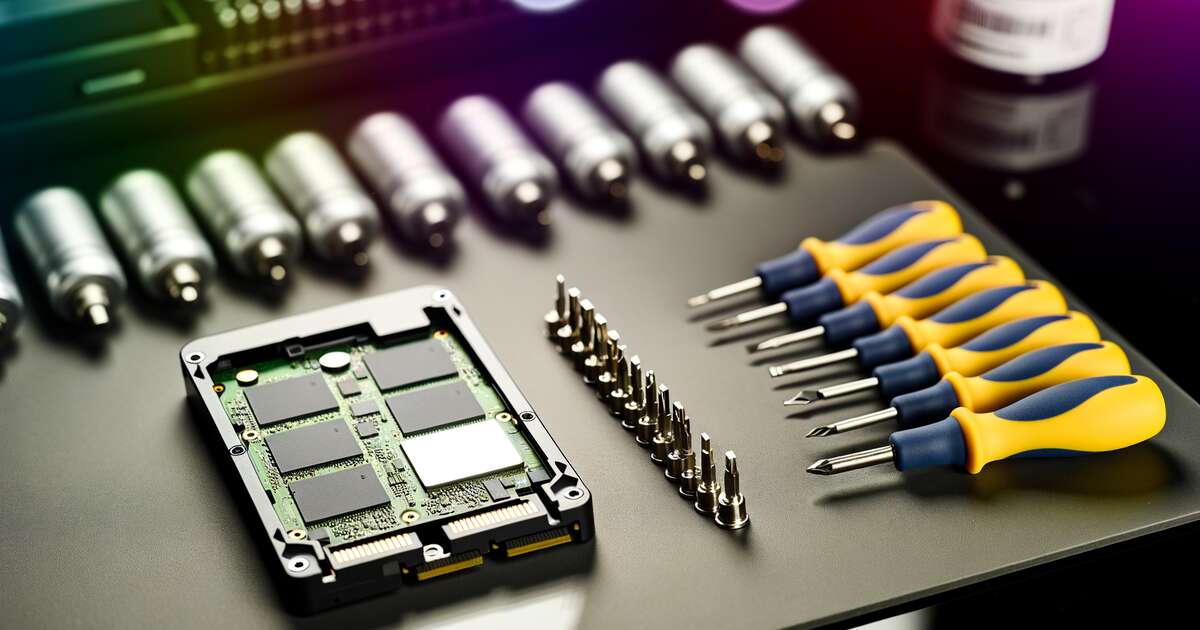
When your SSD fails, the dilemma of whether to attempt data recovery yourself or to hire a professional can be daunting. DIY data recovery has its appeal, certainly in terms of cost. But before you dive in, consider this: are the potential savings worth the risk of possibly losing your data permanently?
Data Recovery Techniques that can be applied at home often involve using available software tools designed to address minor data corruption or accidental deletion. However, these tools have limitations, especially when facing more complex issues like electronic failure or physical damage to the SSD. What would you do if the software cannot retrieve what you need?
On the flip side, professional data recovery services offer extensive experience and specialized equipment. They are your best bet for tackling severe data loss scenarios comprehensively. Professionals can access parts of the drive that standard software can’t reach, and they operate in environments designed to protect your SSD’s integrity.
While DIY solutions provide an immediate and cost-effective approach, the expertise and tools that professionals bring to the table often justify the extra expense. After all, can you really put a price on irreplaceable data? When it comes to safeguarding your information, investing in professional services could mean the difference between recovery and permanent data loss.
Tools and Software Recommended for SSD Data Recovery
When it comes to recovering data from solid state drives (SSDs), the correct tools and software can make a significant difference. 🛠️
First on our list is Recuva. Known for its user-friendly interface and deep scan capabilities, Recuva is a popular choice among both novices and tech professionals. It’s great for those unexpected moments when you accidentally delete important files. Wondering if it can retrieve that lost presentation or photo? Chances are, Recuva can help.
Another highly recommended tool is Stellar Data Recovery. Stellar excels in recovering data from formatted or corrupted SSDs and offers a preview feature so you can see which files can be recovered before making a commitment. Isn’t that handy?
Lastly, don’t overlook R-Studio, an advanced suite that appeals to data recovery professionals. It supports multiple file systems and complex data recovery scenarios, including RAID recovery. This makes it a versatile tool capable of handling just about any SSD data recovery job.
Choosing the right SSD data recovery software involves considering your specific needs, such as the severity of the data loss and the type of SSD you own. 🤔 Have you assessed your recovery needs lately?
Common Questions
What is data recovery technique?
Data recovery techniques refer to methods used to retrieve lost, deleted, corrupted, or inaccessible data from storage devices such as hard drives, SSDs, USBs, and memory cards. This can be necessary due to events like accidental deletion, hardware failure, software bugs, or virus attacks. Data recovery processes vary based on the cause and type of data loss, involving software solutions that can scan the affected device for recoverable data or more complex hardware repair by specialists if the damage is physical.
What are the techniques used to recover databases?
Techniques used to recover databases include point-in-time recovery, dump and reload, and continuous data protection. Point-in-time recovery utilizes transaction logs that record all changes made to the database, allowing it to revert to a specific moment before the data loss occurred. Dump and reload technique involves making regular backups of the database contents, which can be reloaded into a new database after data corruption or loss. Continuous data protection (CD: continuously backs up data changes incrementally, enabling recovery of data to any point in time. These methods serve to restore data integrity and minimize downtime in database environments.
What are the two types of data recovery?
Data recovery can be categorized into two main types: logical and physical recovery. Logical recovery is used when files are deleted or formatted due to human error or software issues. This type involves software scanning where recovery software looks for remnants of lost data that can still be retrieved from the storage media. On the other hand, physical recovery is necessary when the storage device suffers from physical damage, like a failed component or mechanical breakdown. This condition requires a cleanroom environment and specialized hardware tools to reconstruct data from physically damaged disks.
How can data be recovered?
Data recovery can be achieved through several methods depending on the type and extent of the data loss. For logical damage such as accidental deletions or formatting, recovery software can be used to scan the storage device to recover files. These programs search for the data remnants that are not visible to the user but still exist on the device. For physical damage involving hardware issues, professional data recovery services are required. These experts work in specialized facilities equipped with the necessary tools to physically repair the damaged components and recover the stored data. Additionally, regular backups and implementing robust data protection strategies can facilitate easier and quicker data recovery.
Future Trends in SSD Data Recovery Techniques
As technology evolves, the future of SSD data recovery promises exciting developments. Can you imagine being able to recover your data almost instantly after a malfunction? With advances in technology, this could soon be a reality. There’s a continuous push towards more sophisticated algorithms and techniques that enhance the reliability and speed of recovery in solid state drives.
Emerging trends include the use of machine learning algorithms to predict and preemptively address failures before they result in data loss. Imagine your system detecting a potential SSD failure and automatically taking precautionary steps to safeguard your data! Additionally, advancements in nanotechnology are set to offer even more robust data protection capabilities. Isn’t it astonishing how these technological strides could redefine Data Recovery Techniques?
- Integration of AI for smarter data recovery processes.
- Increased use of cloud backups integrated directly with SSDs.
- Development of more durable SSD models that reduce the risk of data loss.
Moreover, the push for greener technology solutions means future SSDs might not only be faster and more reliable but also more environmentally friendly. Will these advancements mean the reduction of e-waste associated with damaged drives? Only time will tell, but the prospects are definitely promising! 🌱
Final Thoughts: Data Recovery Techniques for Solid State Drives (SSDs)
We’ve covered a lot about Data Recovery Techniques in this article, and hopefully, you’re feeling a bit more confident about handling an SSD data loss scenario! Whether you’re leaning towards DIY methods or professional services, it’s important to use the right tools and stay informed about emerging trends. Remember, the key to successful data recovery often lies in prompt action and informed choices.🔧
Are you prepared to tackle your next SSD data recovery task? With the knowledge of different Data Recovery Techniques and the right software at your disposal, there’s a good chance you can reclaim your lost data. And if things get too complex, don’t hesitate to call in the pros! Keep an eye on new technologies that could make these processes even smoother in the future. 💾🛠️