How do I disable my track pad on my MSI Raider?
- This topic has 1 reply, 2 voices, and was last updated 3 years ago by
 .
- You must be logged in to reply to this topic.

Home / Forums / Microsoft Windows / Windows 11 / How do I disable my track pad on my MSI Raider?
Tagged: gaming laptop, msi
 ZachN-TRG.

Would I disable trackpad from msi settings or from some type of windows setting?

Try the following to disable your touchpad while you have a USB mouse plugged in.
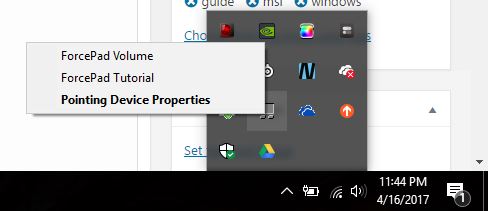
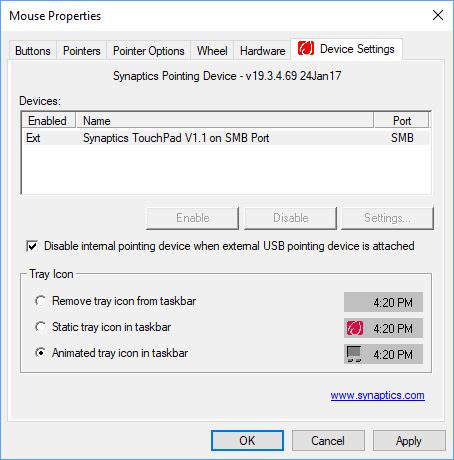
If you don’t have the Synaptics Pointing Device, you can disable your touchpad in Windows settings.
Open the start menu, type touchpad settings in the search box, and then press enter.
Click the Touchpad button to turn the touchpad off or on.

To automatically disable the touchpad when an external mouse is connected to the computer, configure the setting using the instructions for your operating system.
 to expand the Touchpad settings, and then clear the Leave the touchpad on when a mouse is connected check box.

